DNS and DHCP Interactions
Carsten Strotmann
Created: 2025-11-12 Wed 08:22
Agenda
- DNS dynamic update
- How it works
- DHCP DDNS update strategies
- Securing dynamic updates
- Dynamic update troubleshooting
DNS dynamic updates
- The original DNS protocol was static, DNS data could only be changed by the DNS zones administrator in the zone file
- The introduction of dynamic host configuration made it necessary to allow changes to the DNS zone data via the DNS protocol
DNS dynamic updates
- DDNS (RFC 2136 dynamic DNS updates) should not be confused with out-of band DNS changes called "DynDns" used for Internet hosts with an changing IP Address
DDNS
- In DDNS, a dynamic DNS client sends DNS messages to the primary DNS server for a DNS zone with update commands
DNS dynamic updates
- A dynamic update can
- Add one or more records to a zone
- Delete one or more records from a zone
- One specific record
- All records of a certain type owned by a domain name
- All records owned by a domain name
DDNS
- The update can be made contingent on meeting certain prerequisites
- The existence or non-existence of
- A particular record
- Records of a certain type owned by a domain name
- The existence or non-existence of
DDNS
- Updaters try to send their updates to a zone's primary name
server
- Most compare the mname field or the zone's SOA record to the
zone's NS records
- If the mname field matches one of the domain names in an NS record, the updater sends the update there
- Otherwise, it chooses a domain name from an NS record and sends the update there
- Most compare the mname field or the zone's SOA record to the
zone's NS records
DDNS
; <<>> DiG 9.7.1-P2 <<>> soa example.com
;; global options: +cmd
;; Got answer:
;; ->>HEADER<<- opcode: QUERY, status: NOERROR, id: 5600
;; flags: qr aa rd ra; QUERY: 1, ANSWER: 1, AUTHORITY: 4, ADDITIONAL: 3

;; QUESTION SECTION:
;example.com.           IN  SOA

;; ANSWER SECTION:
example.com.        86400   IN  SOA dns1.example.com. (
                                    hostmaster.example.com.
                                    2010050501 900 300 604800 900 )
Dynamic Update in Pictures
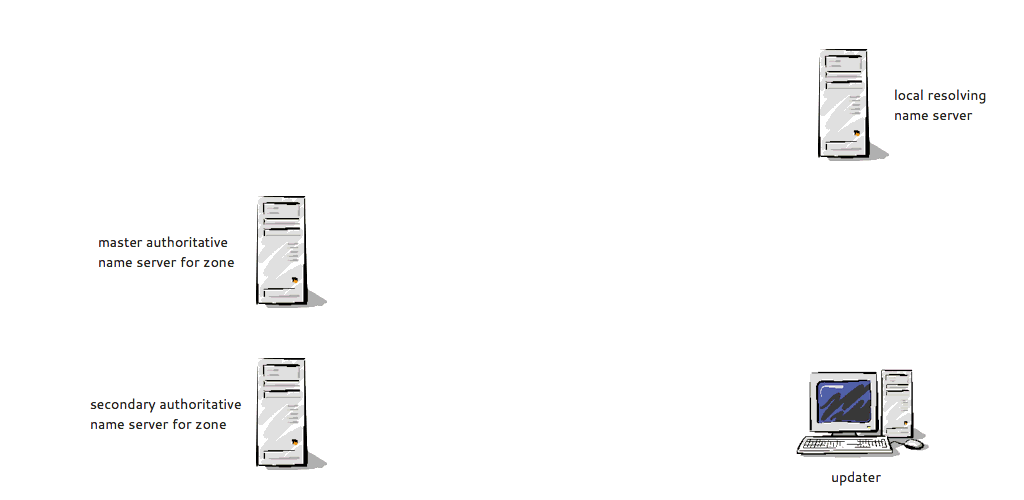
Dynamic Update in Pictures
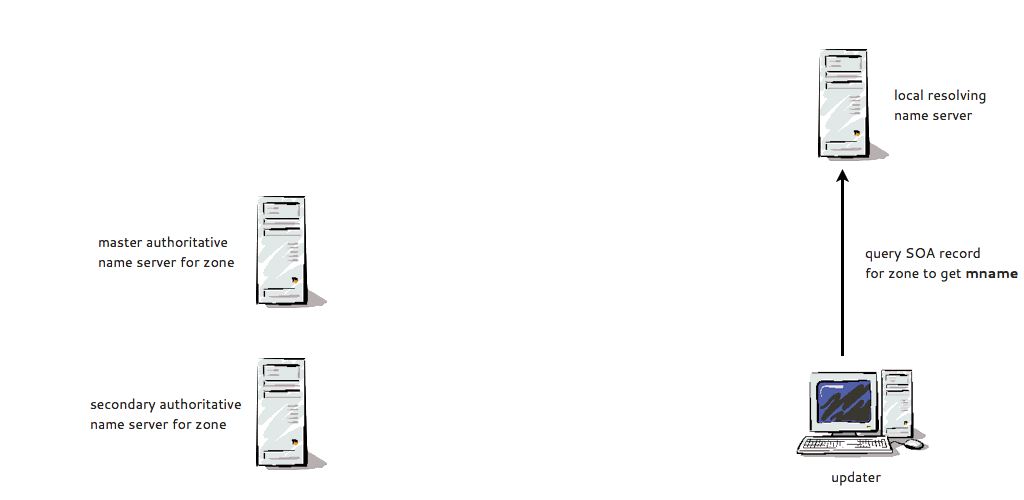
Dynamic Update in Pictures
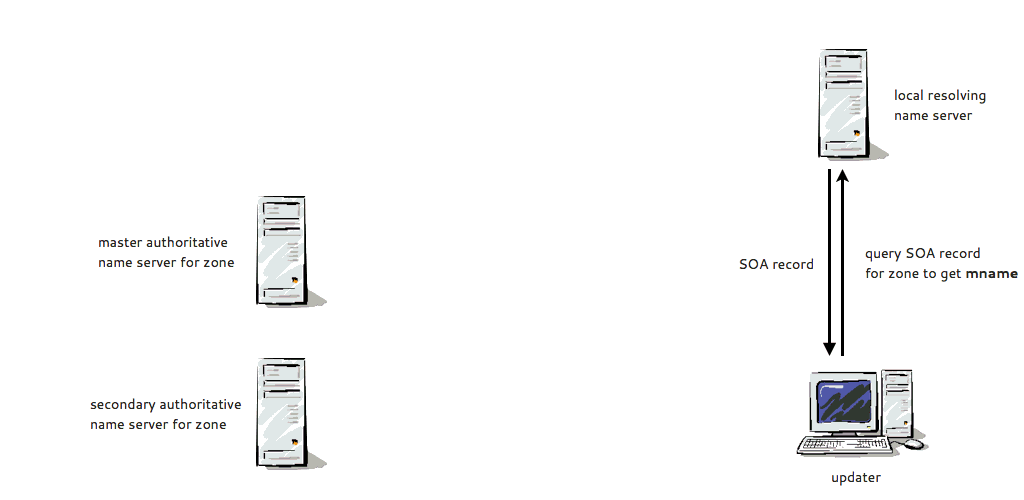
Dynamic Update in Pictures
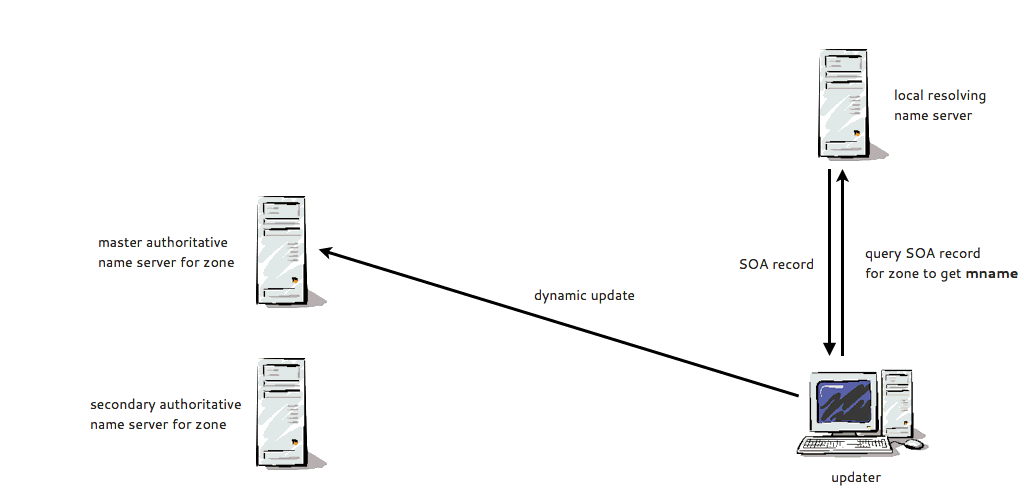
Configuring Dynamic Update
- To allow any dynamic updates from a particular IP address or ACL
(BIND DNS
named.conf):
acl dhcp-server { 192.0.2.10; };
zone "example.com" {
   type primary;
   file "example.com";
   allow-update { dhcp-server; };
};
- Allowing dynamic updates based on IP-addresses is insecure and should not be used! Use TSIG-Authenticated updates instead.
Configuring Dynamic Update
- To enable update forwarding (on a secondary name server; BIND DNS
named.conf):
zone "example.com" {
   type slave;
   primaries { 192.0.2.110; };
   file "bak.example.com";
   allow-update-forwarding { dhcp-server; };
};
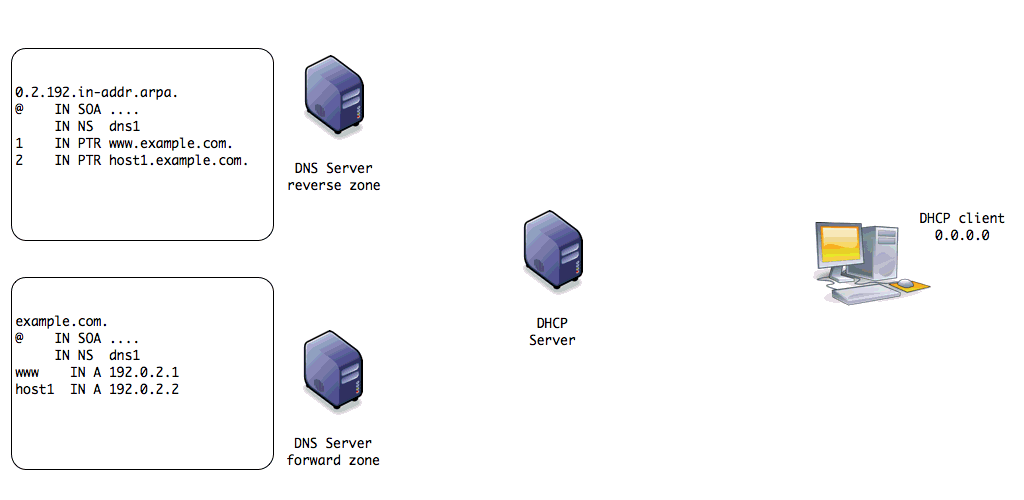
Dynamic DNS Update with DHCP
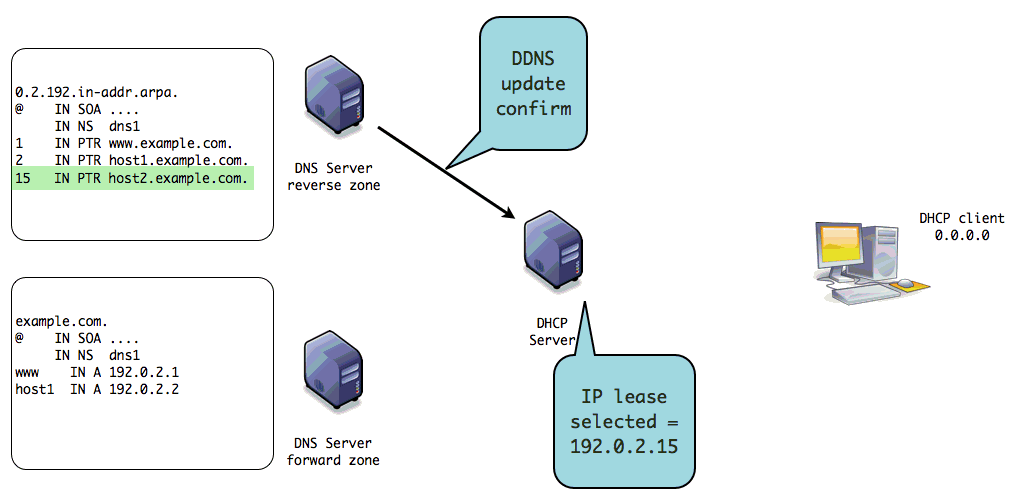
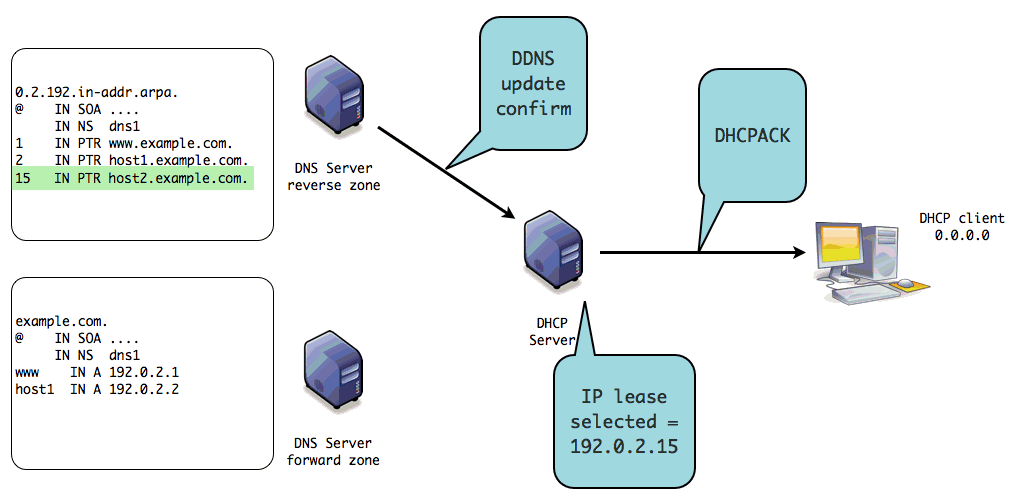
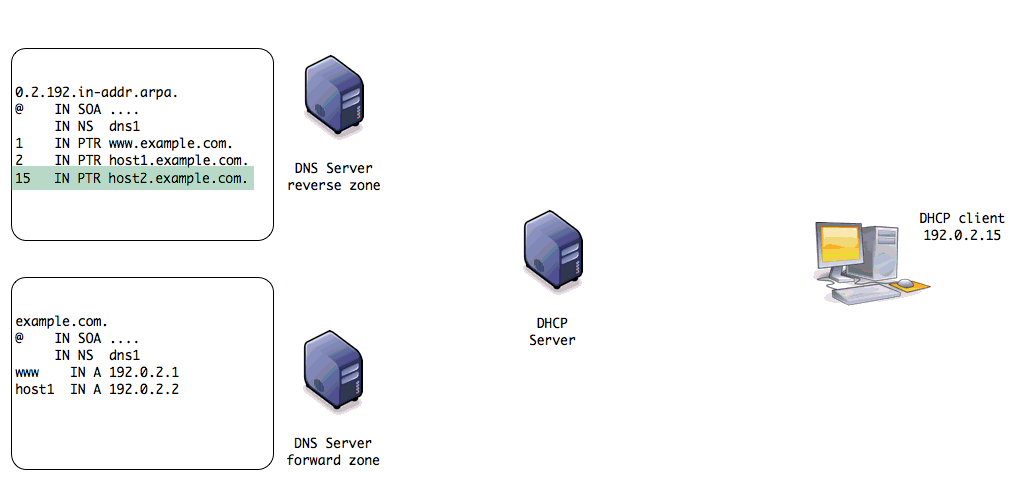
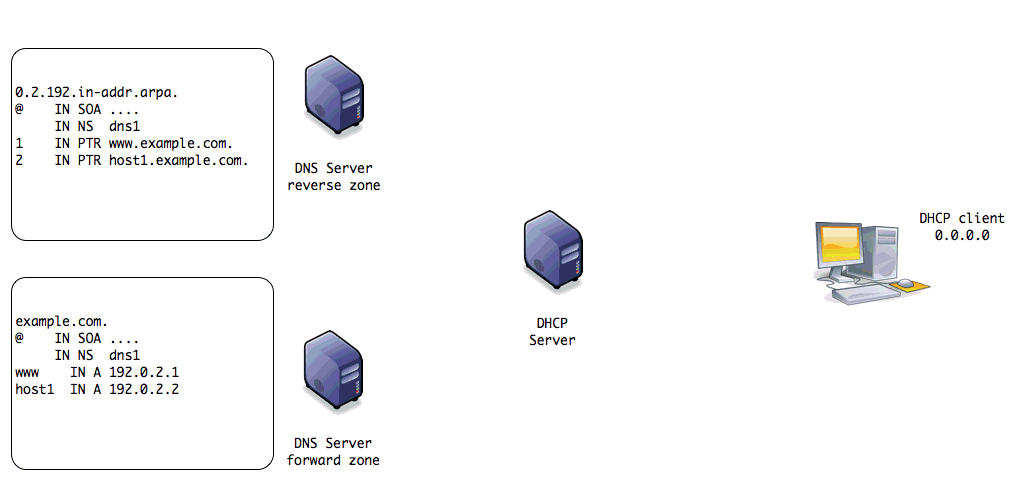
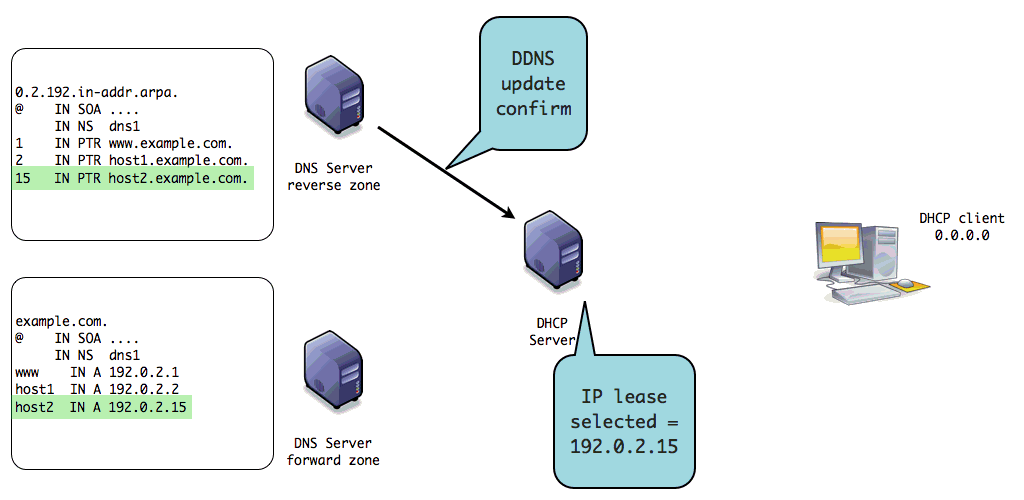
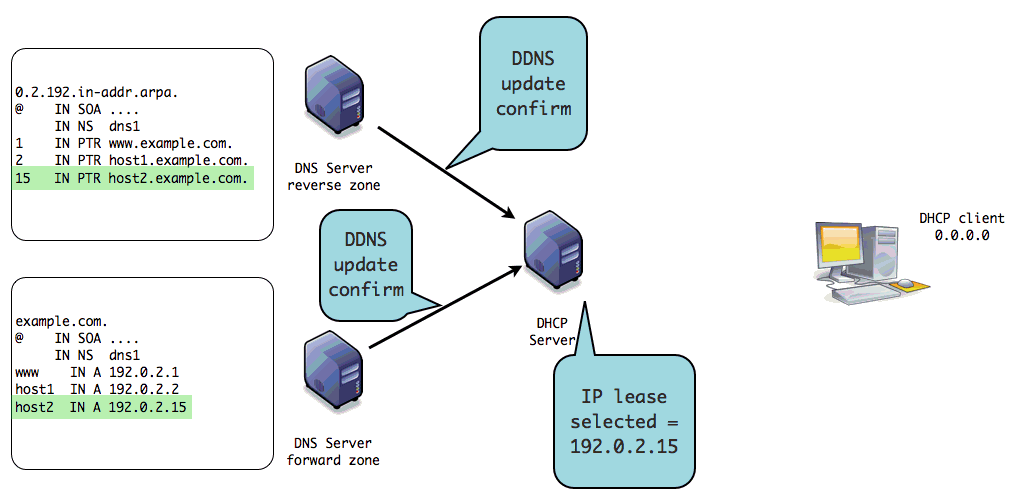
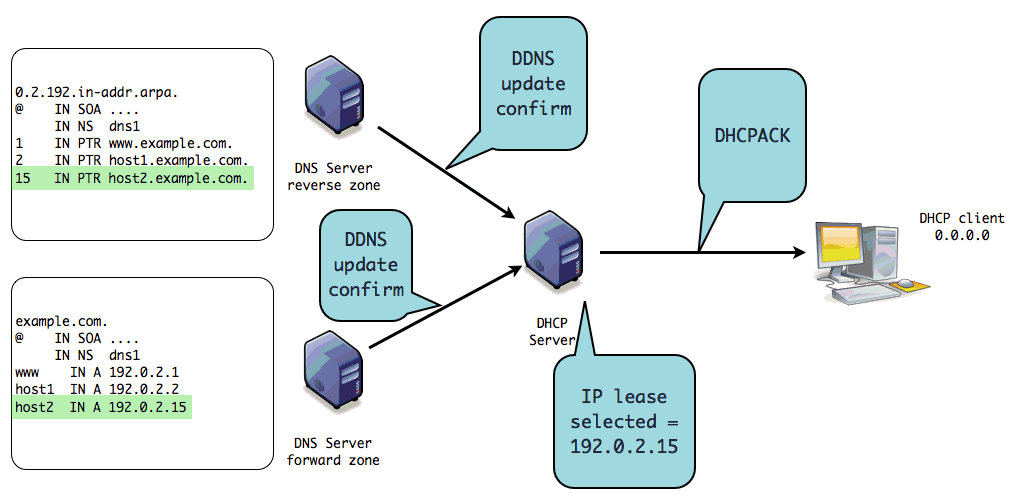
- DHCP Server can be configured to send update messages to update a
dynamic DNS zone
- For non-dynamic DNS clients
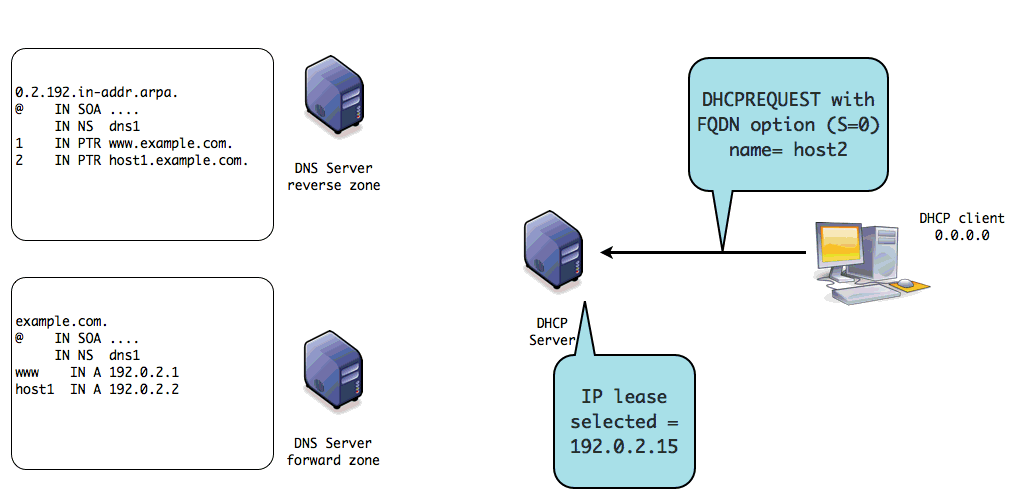
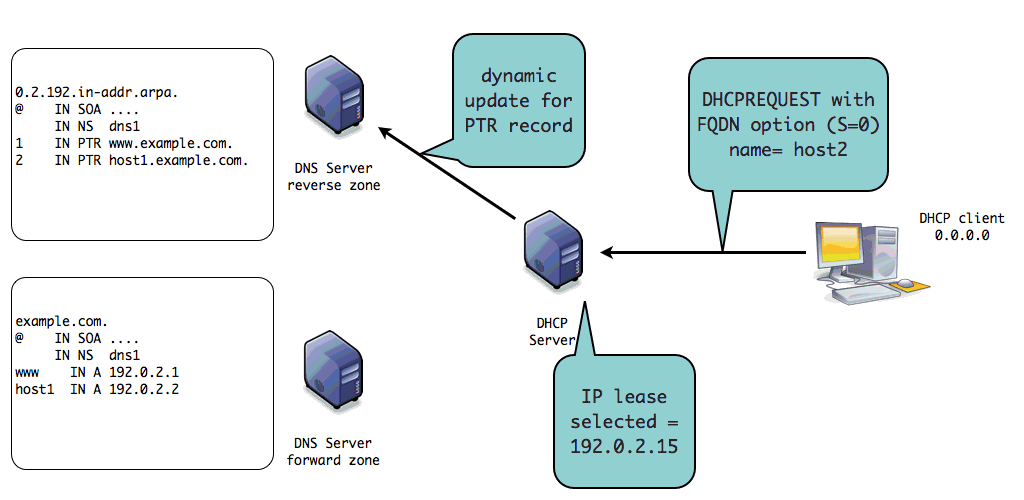
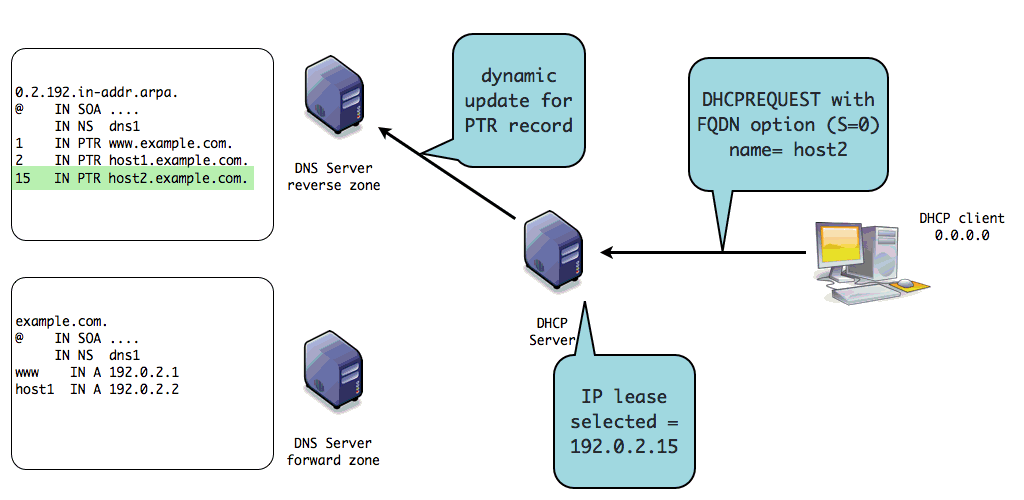
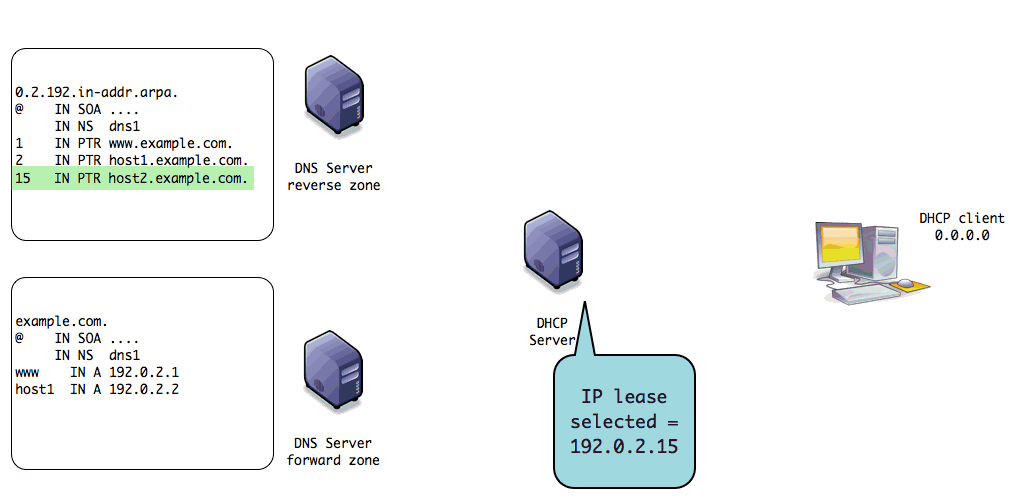
- DHCP server updates the A and PTR record
- For non-dynamic DNS clients
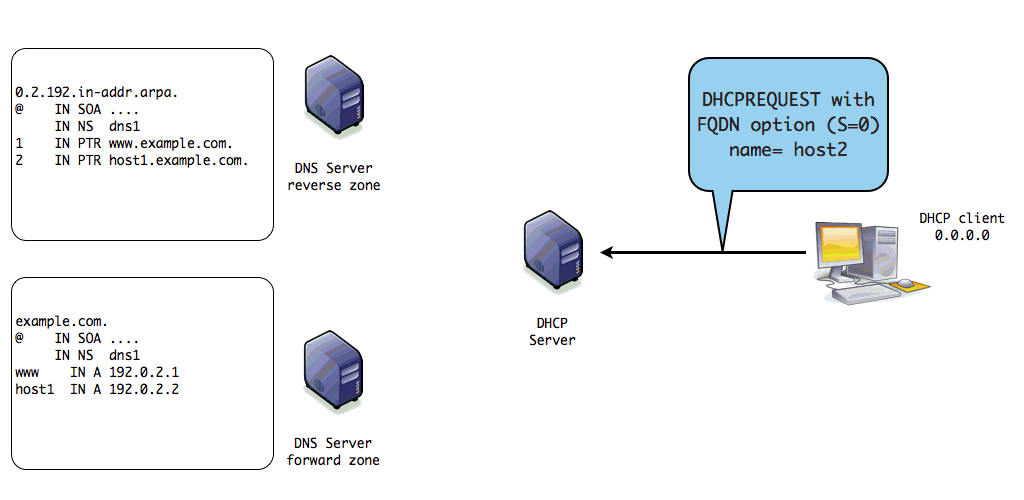
Dynamic DNS Update with DHCP
- DHCP Server can be configured to send update messages to update a
dynamic DNS zone
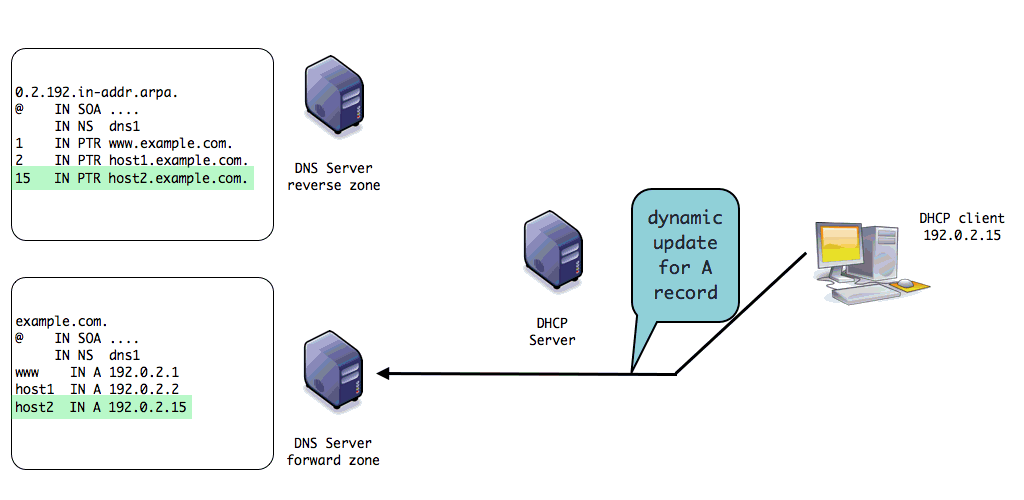
- For dynamic DNS clients (eg. Windows 2000 - Windows 11)
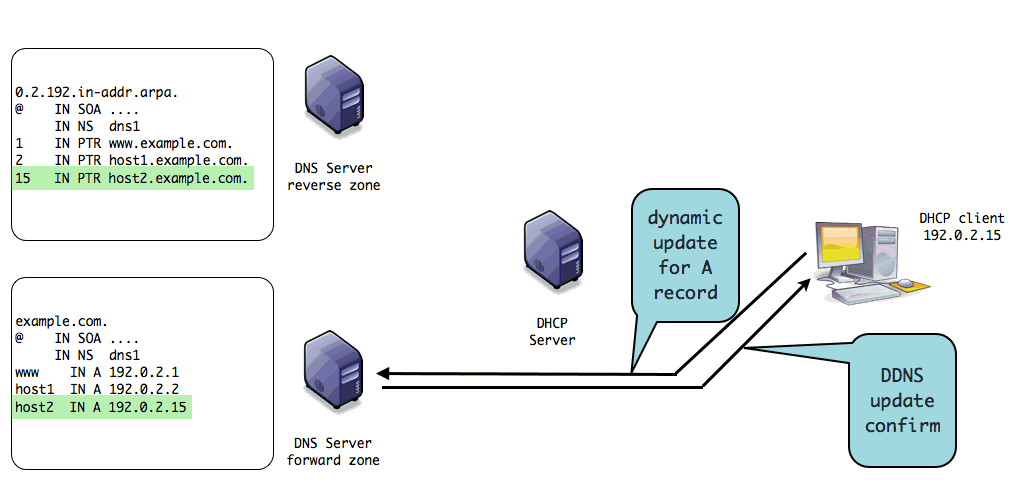
- Client updates the A record
- DHCP server updates the PTR record
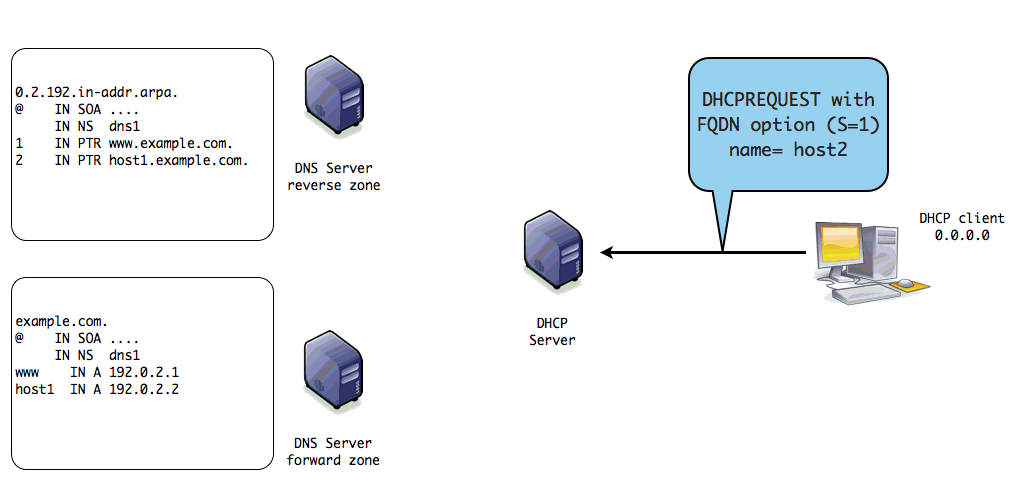
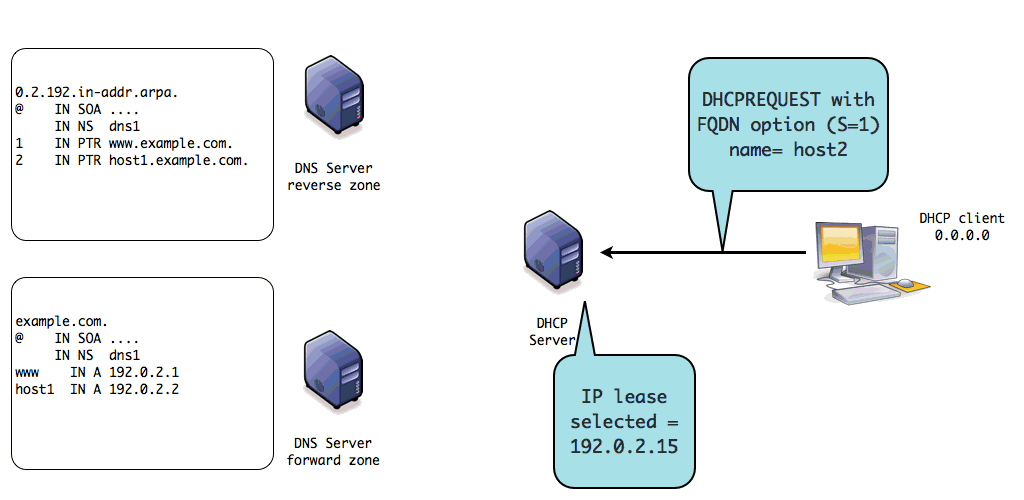
- Requires the Client FQDN option, Client provides a FQDN to the DHCP server
- For dynamic DNS clients (eg. Windows 2000 - Windows 11)
Dynamic DNS Update with DHCP
- Administrators can implement different dynamic update policies
- DHCP Server updates both A/AAAA and PTR record
- DHCP Server updates the PTR record, Client updates the A/AAAA record
- the client updates both the A/AAAA and the PTR record
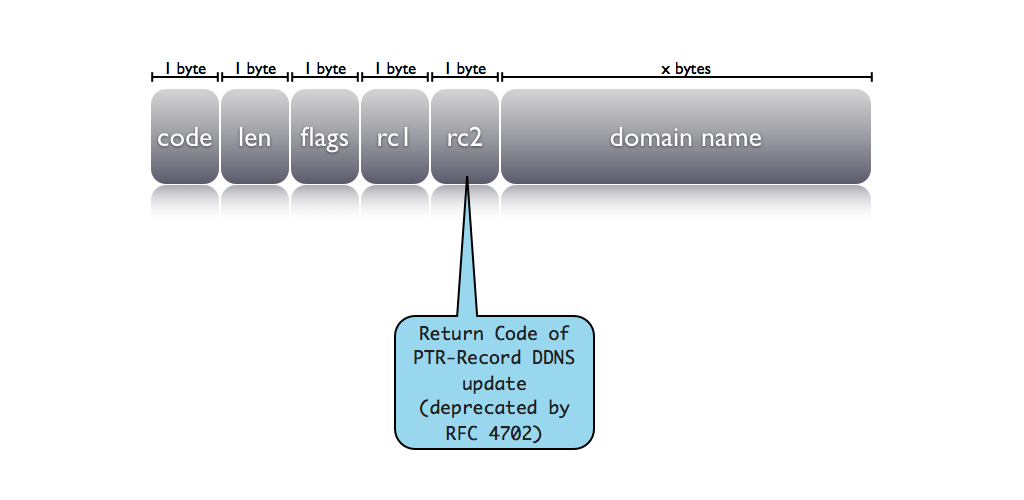
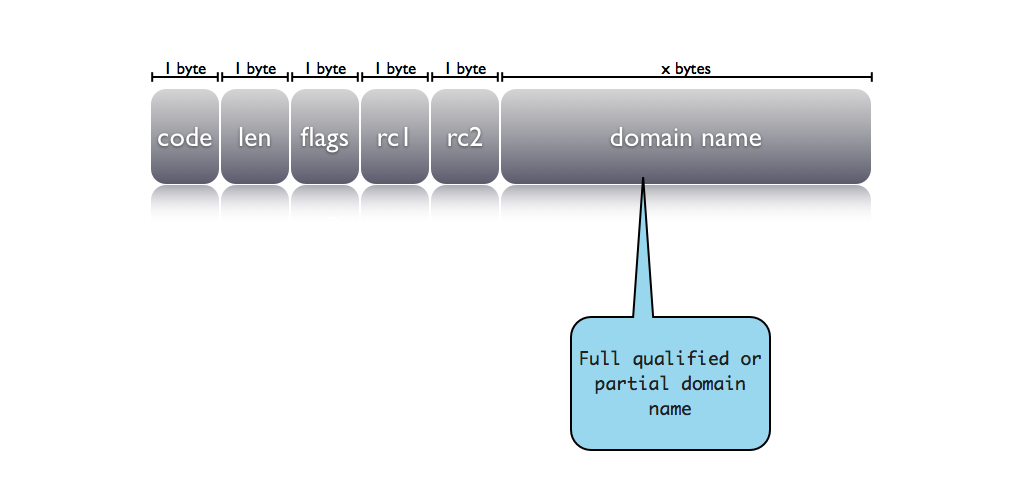
The FQDN Option
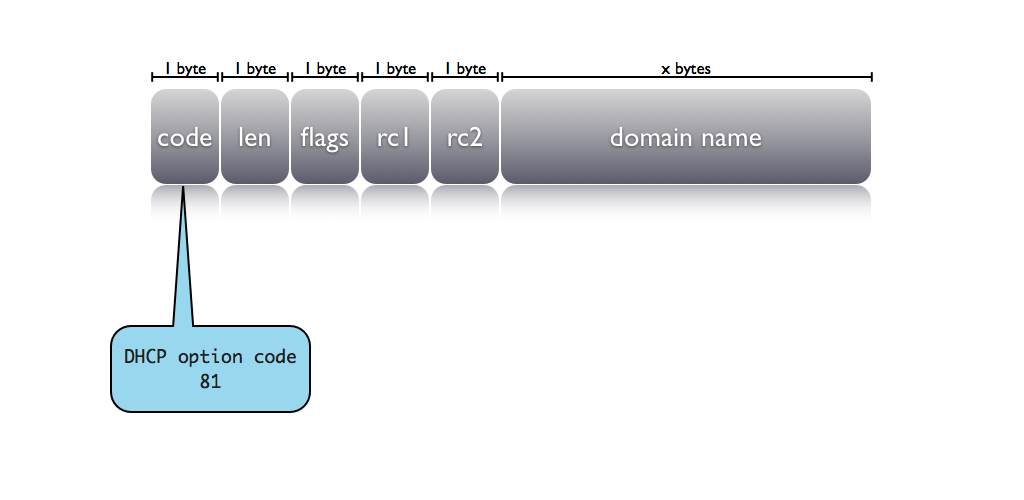
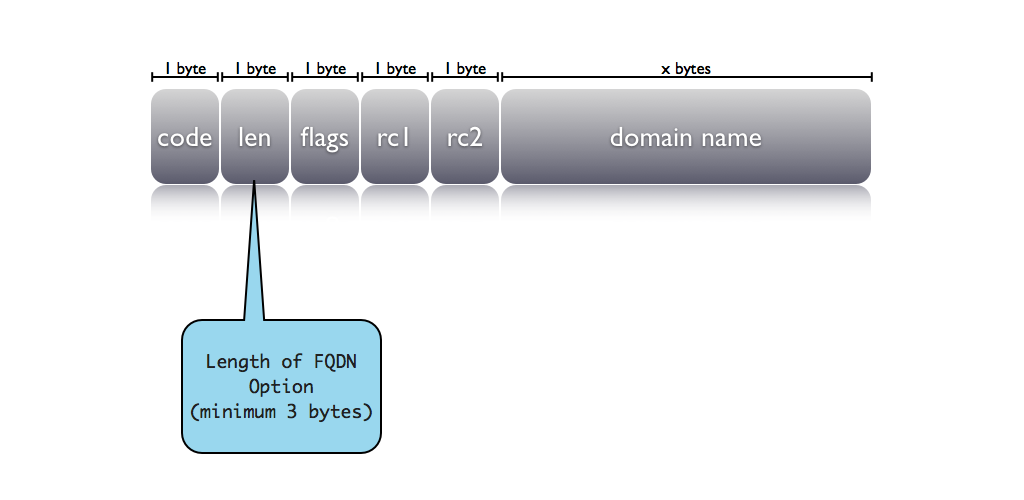
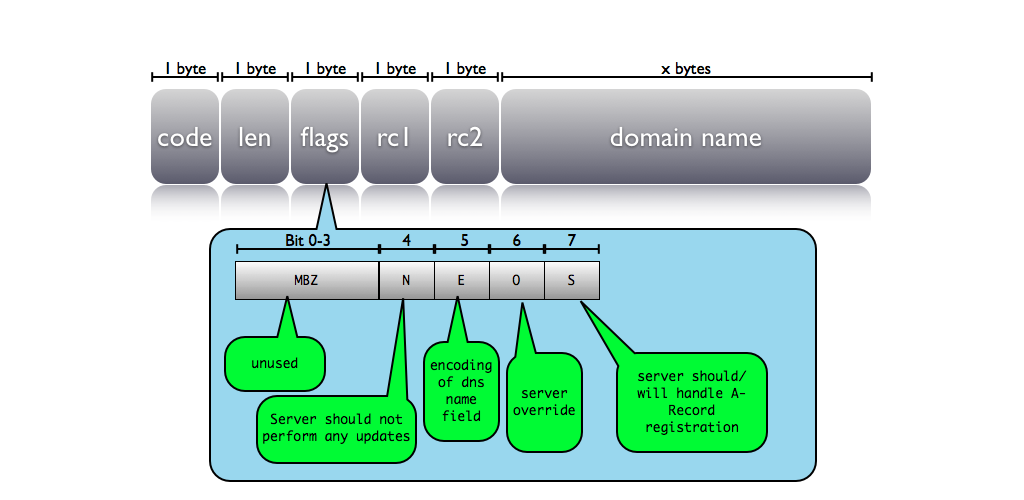
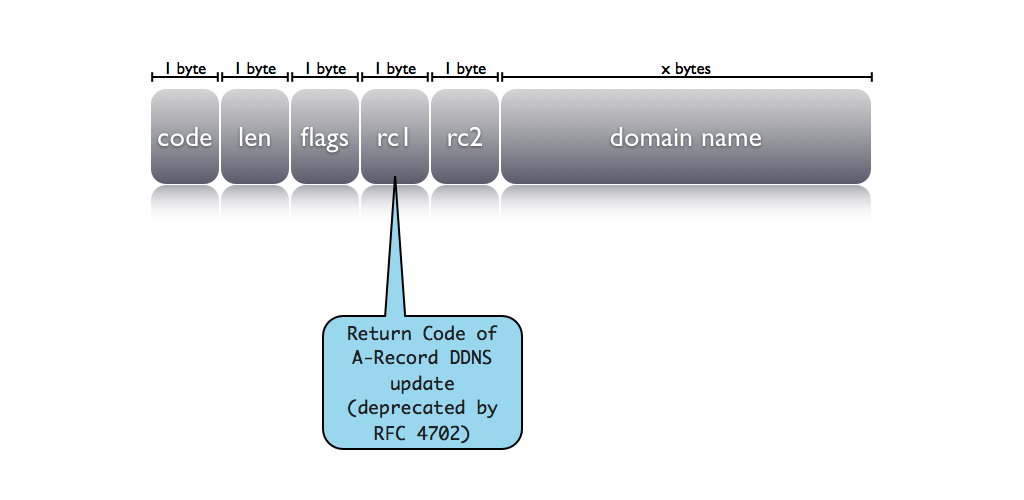
- Fully Qualified Domain Name Option (81):
- Allows client to request the update policy
- Allows the server to overrule the update policy requested by the client
The FQDN Option
The FQDN Option
The FQDN Option
The FQDN Option
The FQDN Option
The FQDN Option
dynamic DNS with DHCP
dynamic DNS with DHCP
dynamic DNS with DHCP
dynamic DNS with DHCP
dynamic DNS with DHCP
dynamic DNS with DHCP
dynamic DNS with DHCP
dynamic DNS with DHCP
dynamic DNS with DHCP
dynamic DNS with DHCP
dynamic DNS with DHCP
dynamic DNS with DHCP
dynamic DNS with DHCP
dynamic DNS with DHCP
dynamic DNS with DHCP
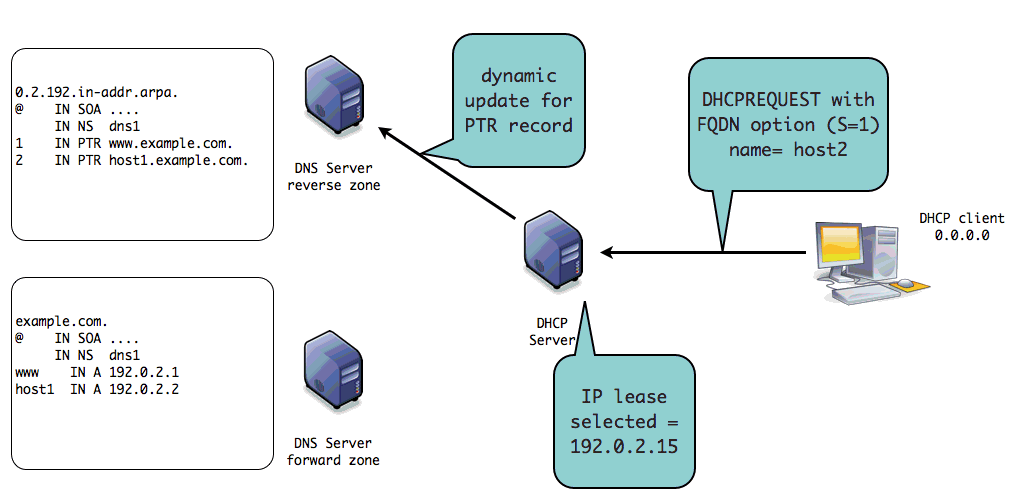
dynamic DNS with DHCP
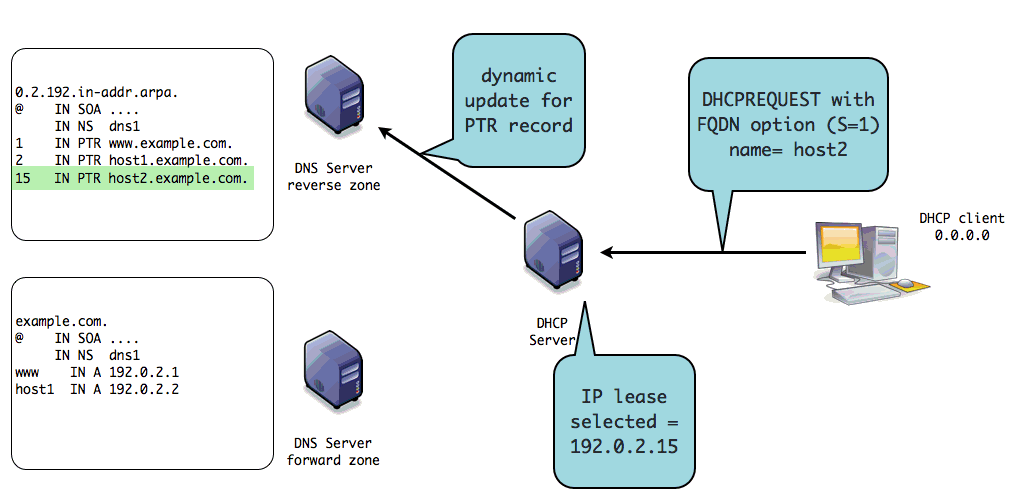
dynamic DNS with DHCP
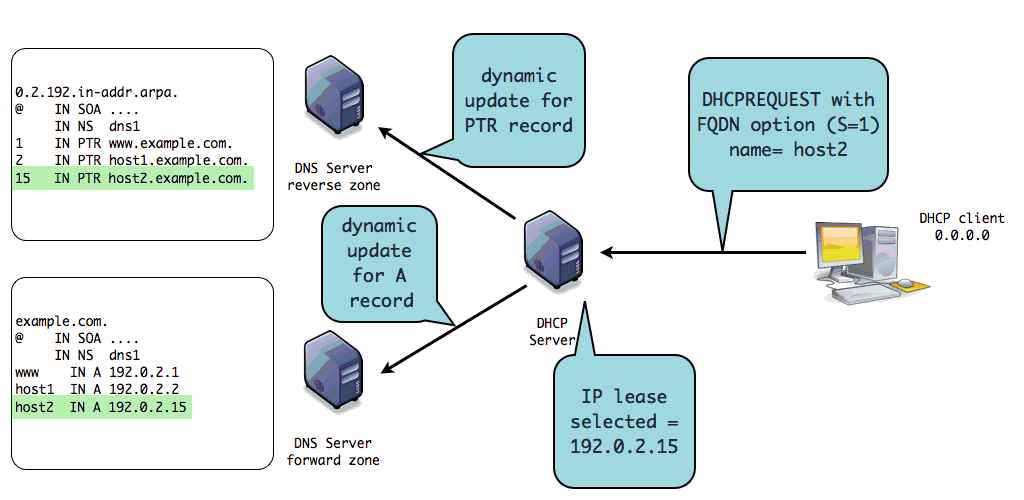
dynamic DNS with DHCP
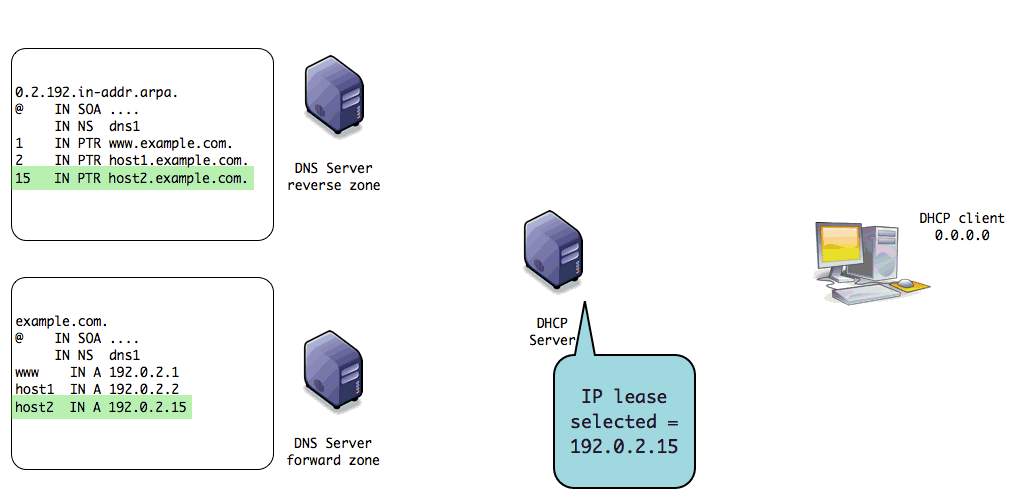
dynamic DNS with DHCP
dynamic DNS with DHCP
dynamic DNS with DHCP
DHCP DNS update RFCs
- DNS updates from DHCP clients and DHCP servers have been implemented
for a long time (around 1994)
- But the standardization has been finalized rather lately (October 2006)
- RFC 4701 - RFC 4703
Resolving name conflicts during dynamic DNS updates
- When a DHCP server updates DNS, it should not overwrite any data that
it does not have authority about
- RFC 4703 "Resolution of Fully Qualified Domain Name (FQDN) Conflicts among Dynamic Host Configuration Protocol (DHCP) Clients" has the detailed problem statement
- RFC 4701 introduced the DHCID resource record to DNS as a solution to solve these conflicts
The DHCID Record
- When writing data to the DNS, a DHCP server will also add a DHCID
records for the same domain name
- The DHCID record contains a hash over the data that securely identifies a DHCP client
- When updating or removing existing information, a DHCP server can detect if that information is for the same client, or for a different one with the same name
The DHCID Record
- The DHCID record is supported in ISC BIND 9.5.0 onwards
- However some other DNS Server products do not support the DHCID record
- Example of a DHCID record:
host1.example.com.      A       192.0.2.2
host1.example.com.      DHCID   ( AAEBOSD+XR3Os/0LozeXVqcNc7FwCfQdWL3b/NaiUDlW2No= )
Securing dynamic DNS updates
- Unless both the DHCP Server and the DNS server are in an completely trustworthy network, the dynamic updates should be secured
- Using the TSIG DNS protocol extension protects the dynamic update
- From un-authorized update messages
- From changes on the transit of the update packet
TSIG
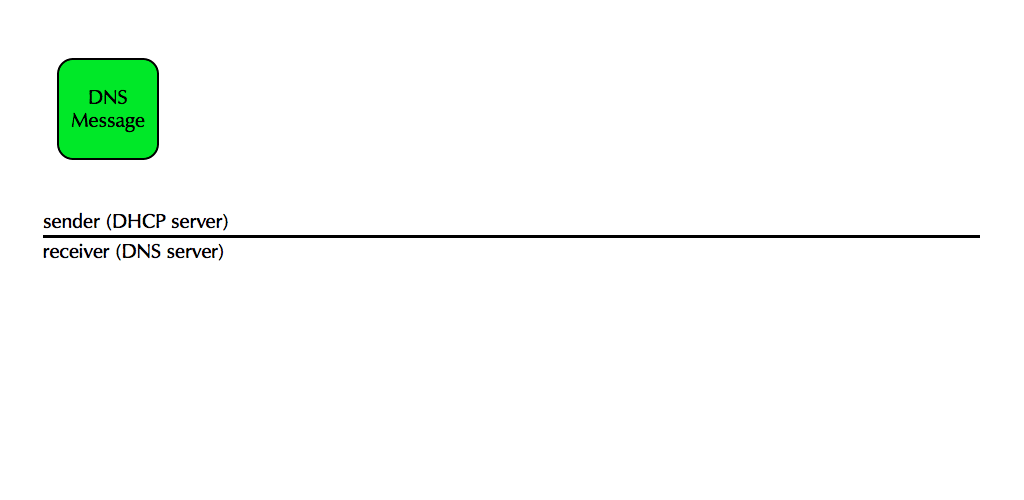
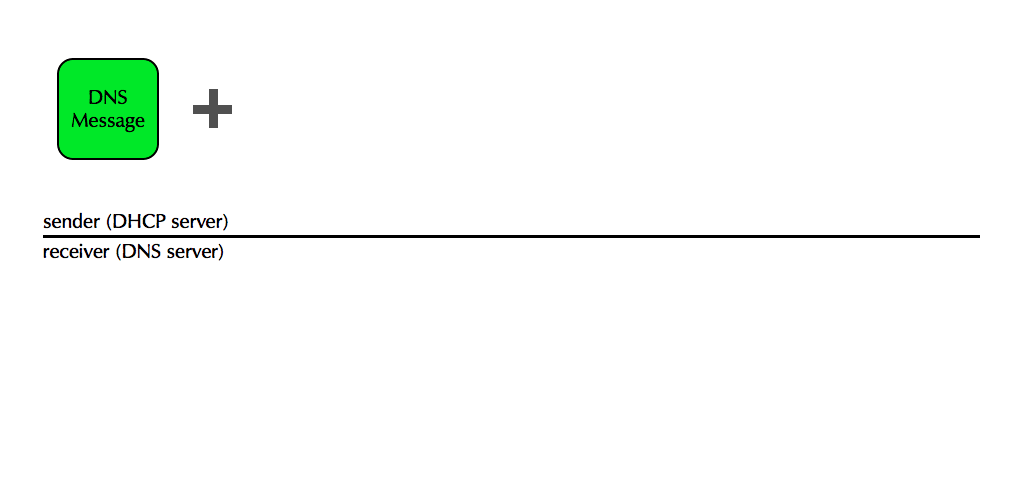
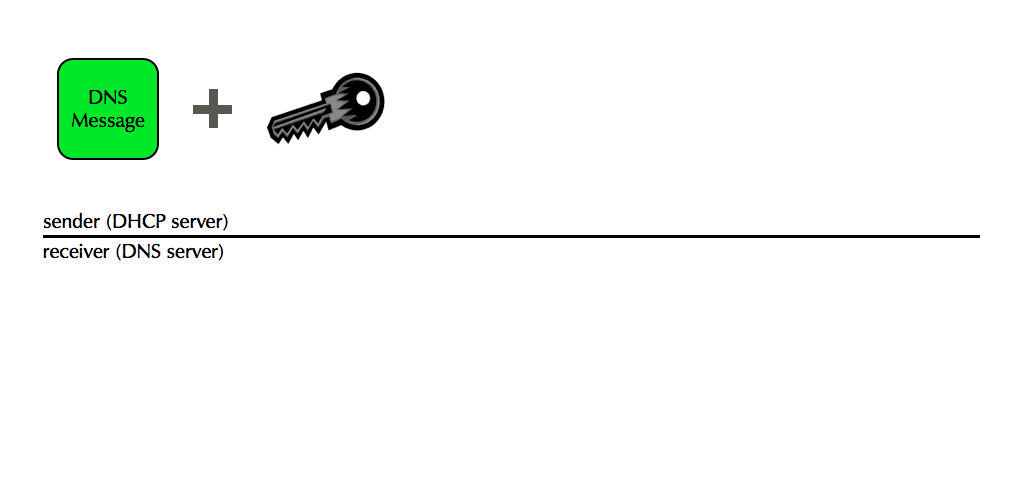
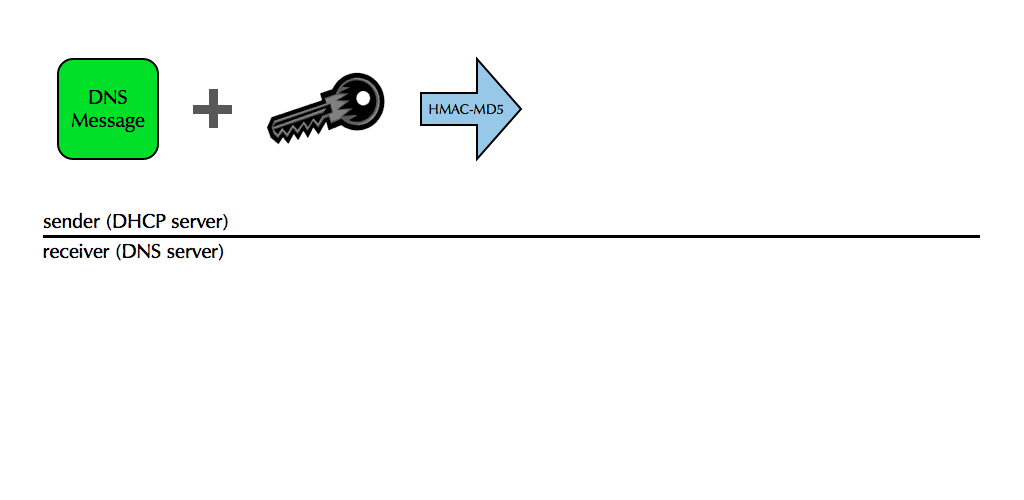
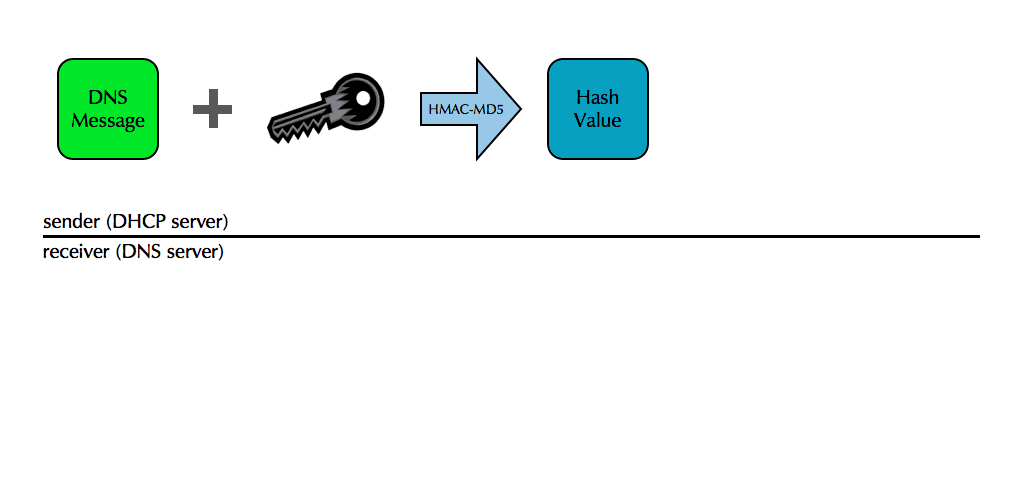
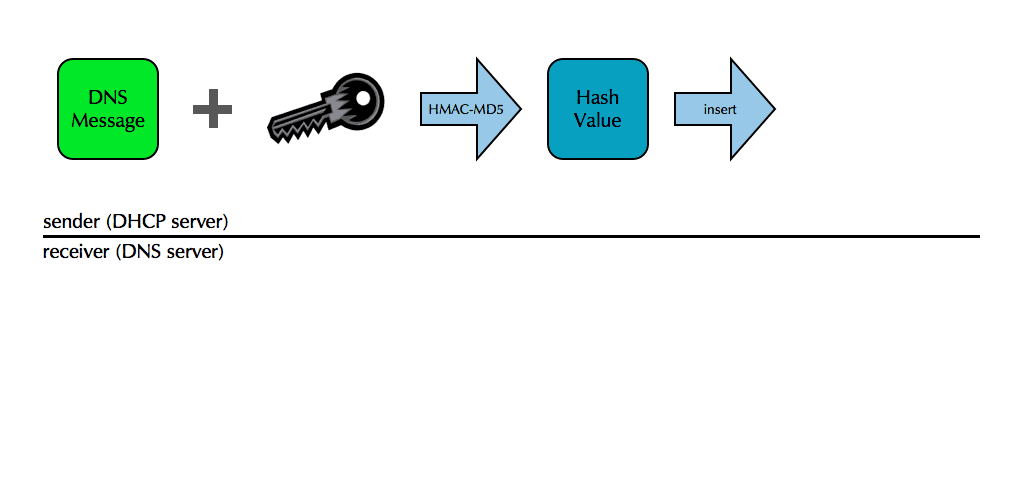
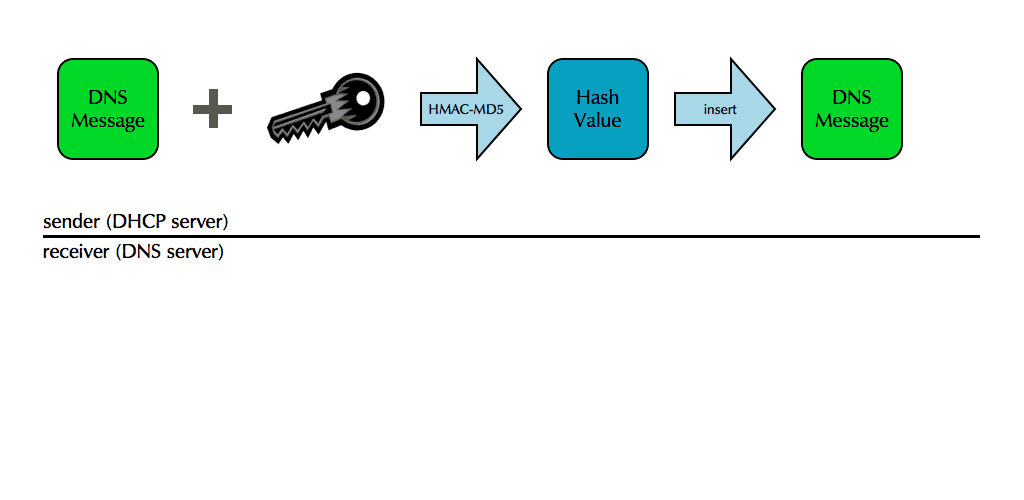
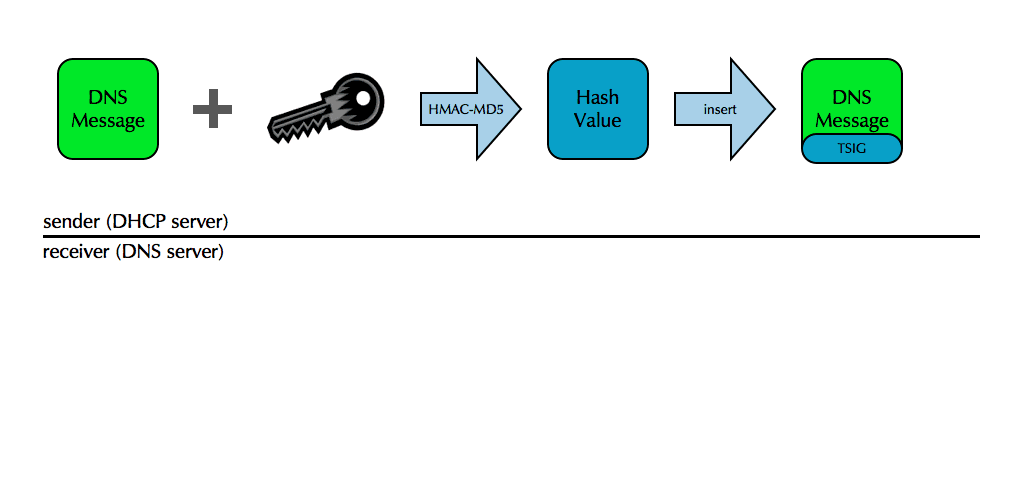
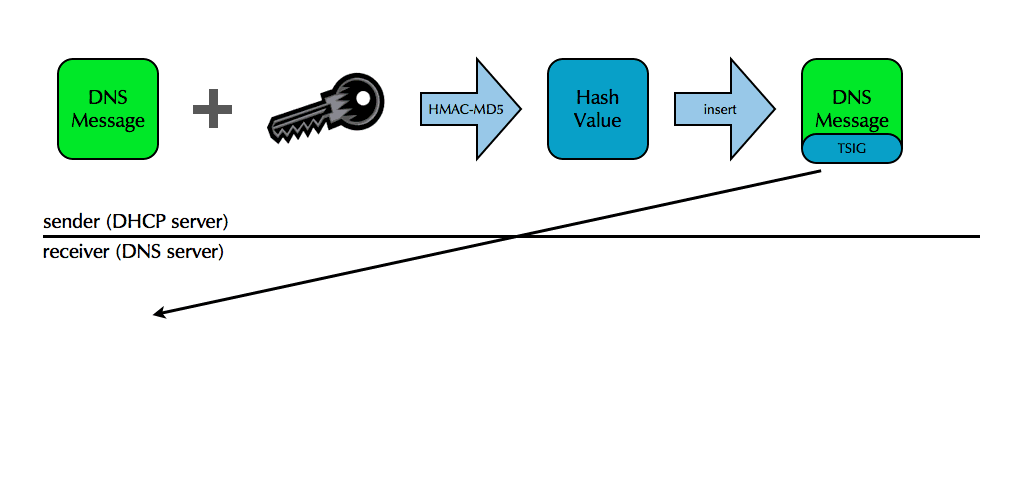
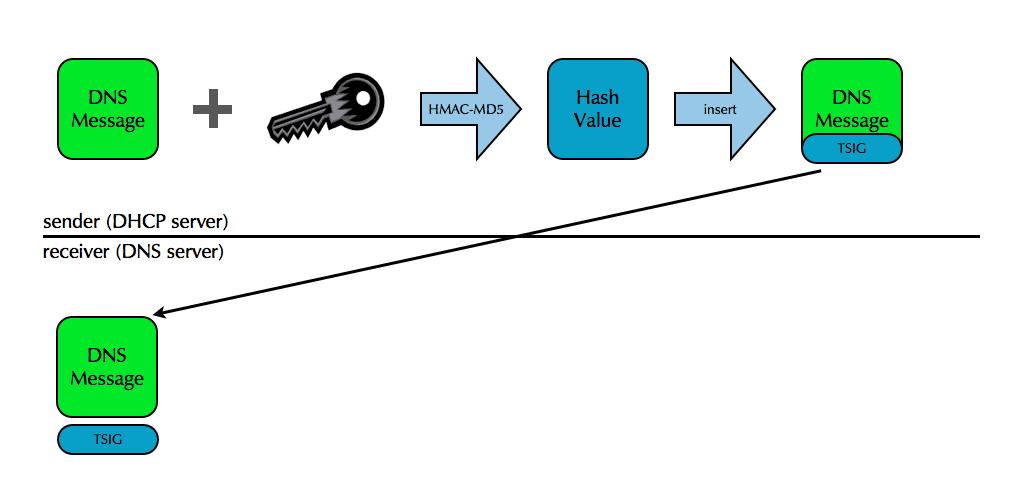
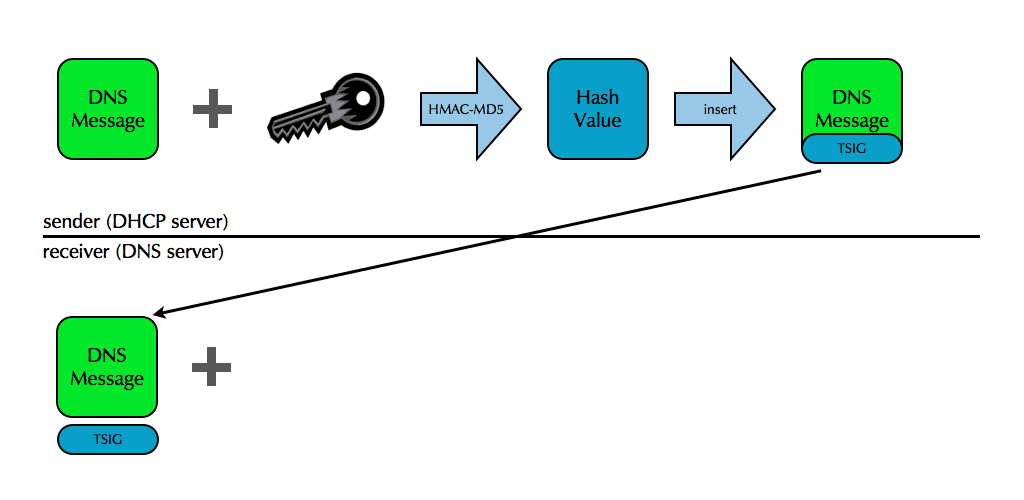
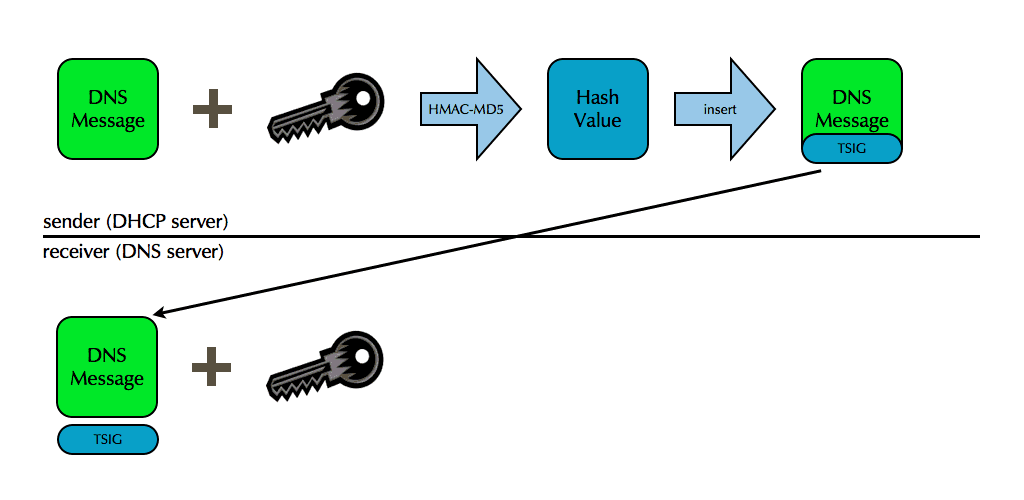
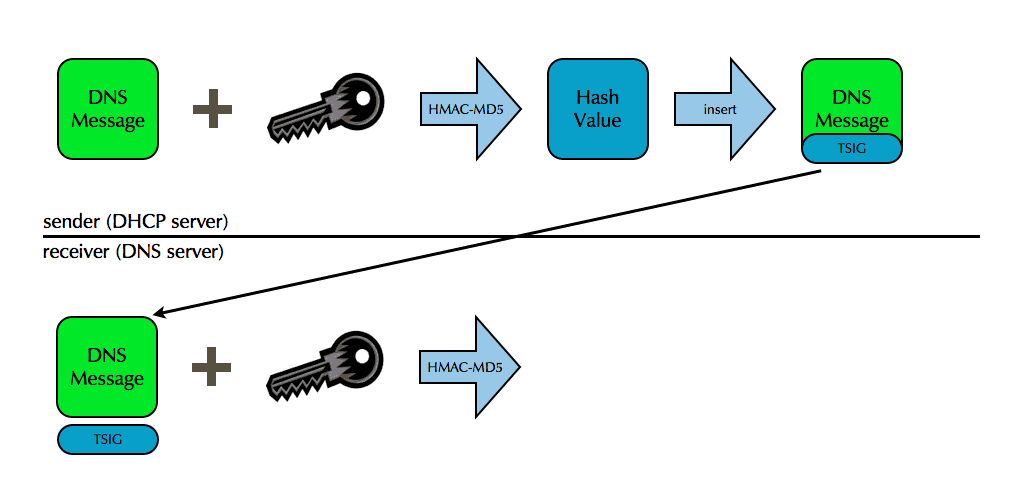
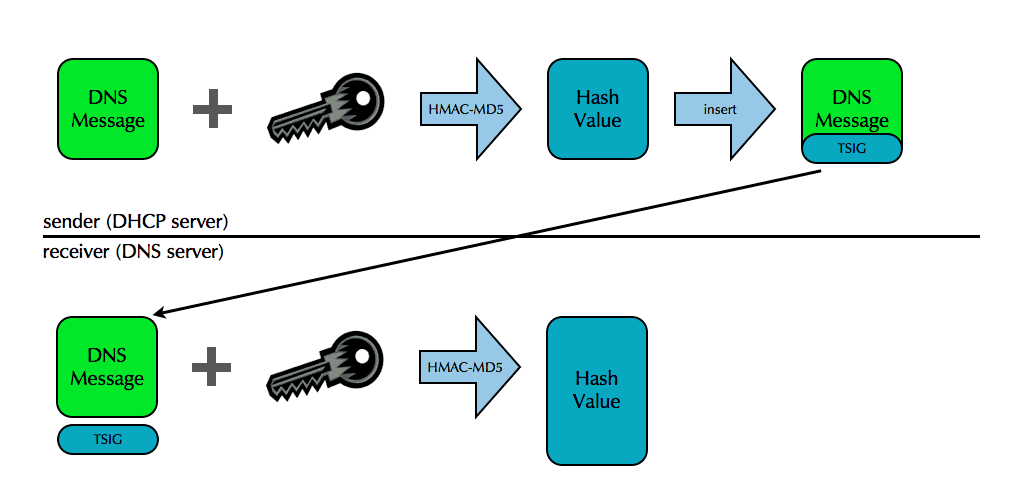
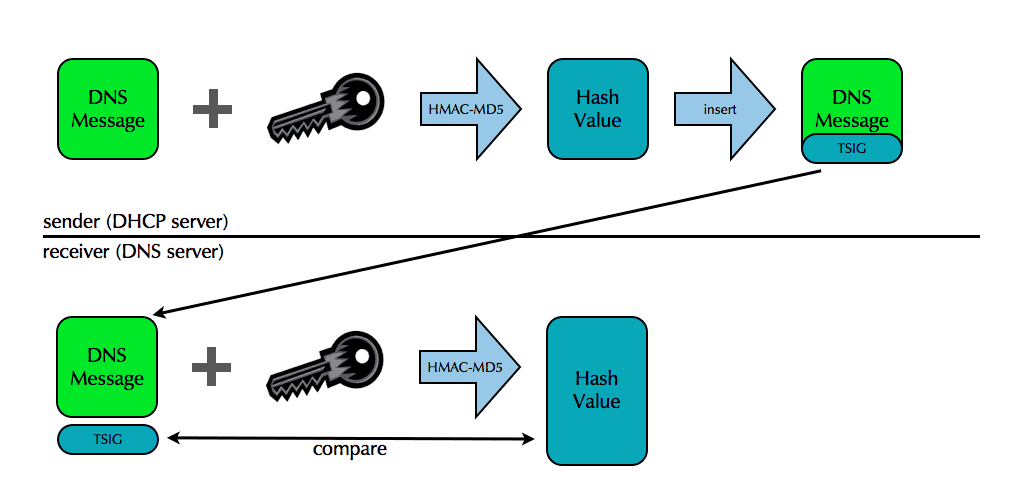
- DNS messages are secured by adding a new record, called a TSIG record,
to the additional data section
- The TSIG record serves as a signature on the message
- The endpoint sending the message calculates and adds the TSIG record
- The endpoint receiving the messages removes and verifies the TSIG record
TSIG illustrated
TSIG illustrated
TSIG illustrated
TSIG illustrated
TSIG illustrated
TSIG illustrated
TSIG illustrated
TSIG illustrated
TSIG illustrated
TSIG illustrated
TSIG illustrated
TSIG illustrated
TSIG illustrated
TSIG illustrated
TSIG illustrated
TSIG benefits
- Verification of a DNS message's TSIG gives you
- Source authentication
- The message must have come from an endpoint with the key
- Data integrity
- The message must be the same one the endpoint signed
RFC 9664 - An EDNS(0) Option to Negotiate Leases on DNS Updates
- Traditionally, DNS records entered via dynamic DNS updates (RFC 2136) will stay until removed either manually or via another dynamic DNS update request
- With RFC 9664 (June 2025), DNS update clients can now send a lifetime (called "lease", as it will probably used in sync with DHCP leases) together with the DNS update that creates or updates a DNS record in a zone
- A DNS server supporting RFC 9664 will automatically remove the DNS records once the lease have run out.
- This new function will clean up DNS records after some defined time
- Details: RFC 9664